RetroArch Wii - GameBrew
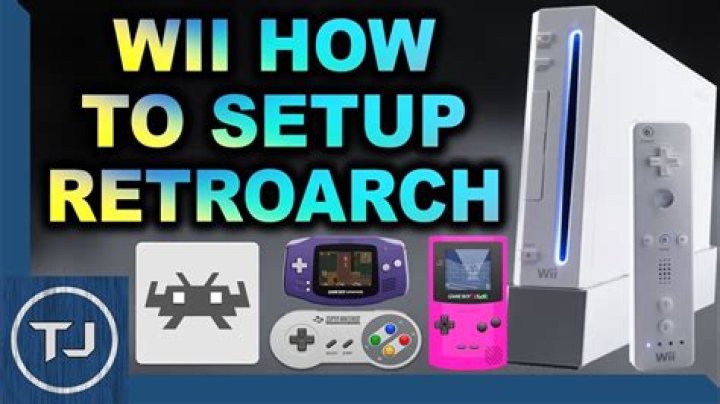
RetroArch is an open source and cross platform frontend/framework for emulators, game engines, video games, media players and other applications. It is most widely known for enabling you to run classic games on a wide range of computers and consoles through a slick graphical interface.
RetroArch is designed to be easy to use, it also features an advanced settings interface that lets you tweak every possible option about how the games are run and displayed.
Features
- A Polished Interface.
- Cross platform.
- Next-frame response time - impeccable latency results.
- Highly Configurable.
- Automatic Controller Configuration.
- Shaders.
- Achievements.
- Netplay.
- Recording & Streaming.
- Expanding app library.
Installation
You can find the installation pack, assets and cores here.
To install, download the .7z and copy the retroarch-wii folder to the apps directory of your SD card.
Start up the Homebrew Channel and start up RetroArch Wii from there.
On first startup, RetroArch will create a folder in the root of your storage device called retroarch. All RetroArch configuration files are stored here.
You can now select a ROM that this core supports and load it in the Filebrowser.
Note that some specific cores require BIOS roms/files present in the system directory in order to run.
User guide
Selecting Cores
RetroArch will select one of the dozen or so emulator/game cores on start-up. The name of the core currently loaded will be shown at the bottom side of the screen.
To select a different core, go to the Settings menu. Select the option Load Core and hit the A (or 2) button.
A filebrowser will appear where you can select a different core. Press A (or 2) to switch to the emulator/game core.
Notes
- Some GBA games don't run at fullspeed on Wii (VBA Next is a RetroConsole Level 2 emulator port).
- The biggest Neo-Geo ROMs that can be loaded are around 23+MB in size, such as Real Bout Fatal Fury 1 and King of Fighters '96.
Controls
See the RetroArch documentation for setting the controls.
| RetroPad Inputs | Wiimote | Wiimote (sideways) | Wiimote + Nunchuk |
|---|---|---|---|
| B | B | 1 | B |
| Y | 2 | B | Z |
| Select | 2 | ||
| Start | + | + | 1 |
| D-Pad | D-Pad | D-Pad | D-Pad |
| A | A | 2 | A |
| X | 1 | A | C |
| L1 | - | ||
| R1 | + | ||
| L2 | Shake Nunchuk | ||
| R2 | Shake | Shake | Shake Wiimote |
| L3 | |||
| R3 | Home | Home | Home |
| Left Stick X | Tilt X | Tilt X | Nunchuk Stick X |
| Left Stick Y | Tilt Y | Tilt Y | Nunchuk Stick Y |
| Right Stick X | Tilt X | ||
| Right Stick Y | Tilt Y |
| RetroPad Inputs | GameCube Controller | Classic Controller | Classic Controller Pro |
|---|---|---|---|
| B | B | B | B |
| Y | Y | Y | Y |
| Select | |||
| Start | Start | + | + |
| D-Pad | D-Pad | D-Pad | D-Pad |
| A | A | A | A |
| X | X | X | X |
| L1 | ZL | L | |
| R1 | Z | ZR | R |
| L2 | L | L | ZL |
| R2 | R | R | ZR |
| L3 | L-Analog | ||
| R3 | R-Analog | Home | Home |
| Left Stick X | Analog X | Left Stick X | Left Stick X |
| Left Stick Y | Analog Y | Left Stick Y | Left Stick Y |
| Right Stick X | C-Stick X | Right Stick X | Right Stick X |
| Right Stick Y | C-Stick Y | Right Stick Y | Right Stick Y |
Media
RetroArch - How to Install: Wii (LibRetro)
RetroArch - How to Setup: Remote RetroPad (LibRetro)